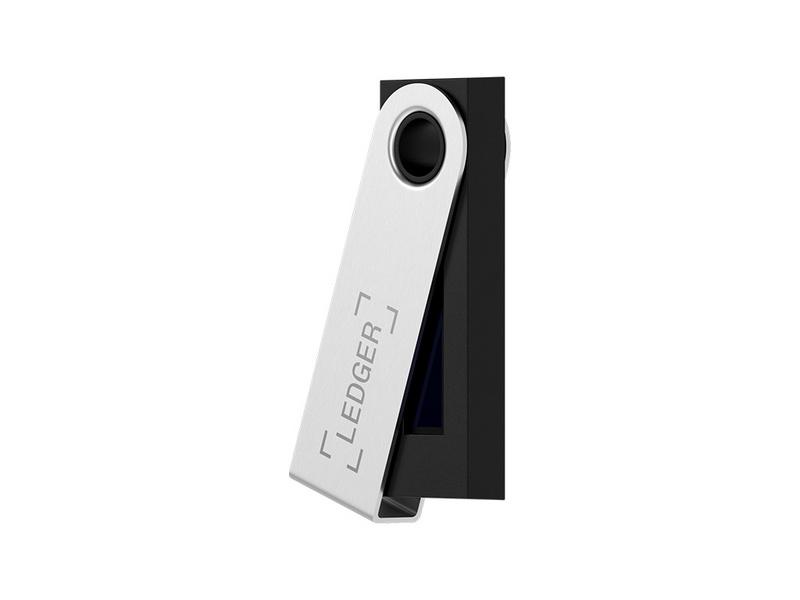
Ledger Nano S Plus Review 2025 — Affordable Hardware Wallet for Crypto & NFTs
The most trusted hardware wallet to securely store your Bitcoin, Ethereum, and over 5,000 tokens and NFTs, with a large screen and top-tier encryption that make Ledger Nano S Plus a perfect choice for both beginners and pros.
Introduction
Ledger Nano S Plus is a hardware wallet designed to keep your crypto and NFTs safe from online threats while still being easy enough for everyday use. In this Ledger Nano S Plus review 2025, the focus is on how this device secures your private keys offline, what coins and tokens it supports, and whether it offers good value compared to other crypto wallets.
Unlike software wallets that run on devices constantly connected to the internet, the Ledger wallet is built to isolate your most important secrets from malware and phishing attempts. If you want to move crypto to your Ledger and stop worrying about wallets that store private keys on systems exposed to hacks, the Nano S Plus is one of the most popular budget options on the market.
What Is Ledger Nano S Plus?
Ledger Nano S Plus is a compact USB hardware wallet that stores private keys for your cryptocurrencies and NFTs in a secure element chip. Instead of keeping keys on a phone or laptop that may be compromised, the device keeps your private keys offline and only signs transactions when you physically confirm them on the device.
The wallet works together with the Ledger Live app on desktop and mobile, which lets you view balances, manage accounts and send or receive coins while the hardware wallet handles the actual signing. You can manage a wide range of assets, including Bitcoin, Ethereum and thousands of other tokens, without exposing your secret recovery phrase or keys to internet-connected devices.
How Ledger Wallets Secure Your Crypto
The core security model behind Ledger is simple: your private keys never leave the hardware wallet and are never visible in the Ledger Live app. Because the device stores private keys inside a secure chip and keeps them offline, even if your computer is infected with malware the attacker cannot simply extract your keys or sign a transaction without your approval.
When you set up the Ledger Nano S Plus, you write down a secret recovery phrase that is used to restore your wallet if the device is lost or damaged. As long as this phrase is kept safe and never typed into a website or software wallet connected to the internet, it gives you a way to recover all of your accounts while still securing your crypto against most online threats.
Software wallets store private keys on systems that are always connected, which increases the attack surface for hackers. With a hardware wallet like the Ledger Nano S Plus, the signing process happens on the device itself, so you confirm every transaction on the small screen before it is broadcast by the Ledger Live app.
Using Ledger Live App and Supported Assets
The Ledger Live app is the main dashboard you use to interact with your Ledger Nano S Plus, check balances and send or receive funds. Once the device is set up and connected to the internet through your computer or phone, Ledger Live lets you add accounts for different coins, track portfolio value and move crypto to your Ledger with a few clicks.
Ledger Nano S Plus supports a wide range of assets including Bitcoin, Ethereum and many other major networks, along with tokens and crypto NFTs that are compatible with Ledger. You install individual apps for each supported network on the device, and then manage those assets through Ledger Live, which keeps the interface clean while the hardware wallet handles all sensitive signing operations.
When you want to send crypto to your Ledger, you generate a receive address in Ledger Live and confirm it on the device screen before sharing it. This extra confirmation step helps ensure that malware cannot silently swap addresses, giving you more confidence that you are securing your crypto to the correct wallet every time.
Day-to-Day Experience with Ledger Nano S Plus
In everyday use, the Ledger Nano S Plus is designed to be a balance between security and convenience. You only need to connect the hardware wallet when you actively want to send funds or manage settings, while simply viewing balances or market data in Ledger Live does not require you to plug in the device.
The buttons and small screen may feel basic compared to a phone, but that simplicity is part of the security design. Every important action, from confirming a transaction to approving a new app installation, must be validated on the device itself, which greatly reduces the chance of silent approvals by malicious software running on a computer connected to the internet.
For users who hold multiple coins and NFTs, it can be reassuring to know that the same hardware wallet can protect them all in one place. Even if you interact with DeFi protocols, exchanges or marketplaces through a browser, the Ledger wallet still keeps your private keys offline, so you do not need to worry about those sites storing or exposing your keys on their systems.
Ledger Nano S Plus Pros & Cons
Like any crypto security solution, the Ledger Nano S Plus comes with a mix of strengths and trade-offs that you should understand before making a purchase. Looking at the main pros and cons helps you decide if this hardware wallet matches your risk profile and expectations for daily use.
✅ Pros
- Offline Security: Private keys stored in a certified Secure Element chip (CC EAL5+).
- Massive Asset Support: Manage 5,500+ coins, tokens & NFTs via Ledger Live.
- Best Value: Premium security features at an affordable, entry-level price.
- Defi & NFT Ready: Larger screen & memory than the old Nano S for Web3 apps.
❌ Cons
- Not Wireless: Needs a USB cable (no Bluetooth like the Nano X).
- Physical Friction: Must connect device to approve every transaction.
- Self-Custody Risk: Total responsibility for backups; no "forgot password" button.
Final Verdict: Who Should Buy Ledger Nano S Plus in 2025?
In 2025, the Ledger Nano S Plus is a strong choice for users who want to move beyond exchanges and hot wallets and take real control of their private keys. It is particularly well-suited to long-term holders who keep significant value in crypto and NFTs and want protection against malware, phishing and other online threats.
If you are comfortable writing down and safeguarding a secret recovery phrase, and you are willing to plug in a hardware wallet whenever you send funds, the security benefits are substantial compared with wallets that store private keys on systems connected to the internet. For many everyday investors, using a Ledger wallet together with the Ledger Live app strikes a good balance between securing your crypto and keeping the management experience simple enough to use regularly.
Ledger Nano S Plus FAQ 2025
Which coins, tokens and NFTs does Ledger Nano S Plus support?
Ledger Nano S Plus supports Bitcoin, Ethereum and thousands of other coins and tokens, as well as many popular NFTs on compatible networks. The exact and most up‑to‑date support list is always available on the official Ledger website and inside the Ledger Live app.
What is the difference between Ledger Nano S Plus and hot wallets?
Unlike hot wallets that store private keys on internet‑connected phones or computers, the Ledger Nano S Plus keeps your keys inside a secure element chip on the hardware wallet. Transactions are signed on the device itself, so malware on your PC or phone cannot directly steal your keys or approve transfers without your confirmation.
Can beginners safely use Ledger Nano S Plus?
Yes, Ledger Nano S Plus is suitable for beginners as long as they carefully follow the setup steps and write down the secret recovery phrase on paper. The Ledger Live app guides you through most actions, but you should always double‑check addresses and amounts on the device screen before confirming.
What happens if I lose or damage my Ledger device?
During setup you create a secret recovery phrase that is the real key to your funds. If the device is lost, stolen or damaged, you can restore your wallets on a new Ledger or another compatible wallet using this phrase, as long as it was stored safely offline and never typed into a website or shared with anyone.
Do I need the Ledger connected all the time?
No. You only need to connect the Ledger Nano S Plus when you want to sign transactions, install apps